
Managing Environment with UV
This is a note I wrote for my job about managing python environment with UV.
What is UV?
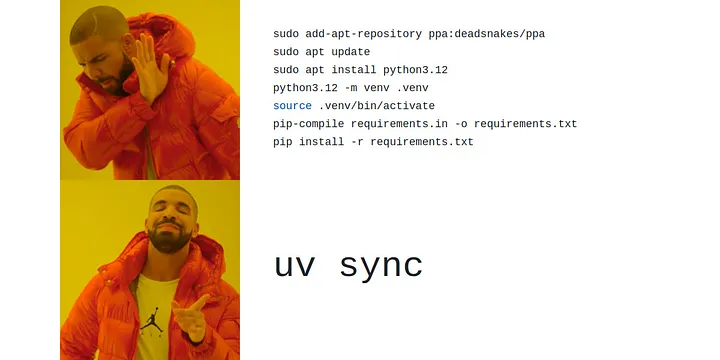
UV is just like poetry, but with powerful management on python version.
Comparison with poetry: https://blog.kyomind.tw/introducing-uv/.

Installing Trio‘s dependencies with a warm cache.
Installation
1 | # Installing via pip is possible but not recommended. |
Basic Operations
1 | # Init a new project (this will create a folder name xxx) |
You can run your script using
1 | # Run script |
Or you can enter the virtual environment first
1 | # Activate the venv |
Python Version Control
1 | # List available python versions |
Run script fast using —with and cache
1 | # Run py with given packages |
Migrate from Poetry / pip
- Ref: https://github.com/mkniewallner/migrate-to-uv
- Ref: https://stackoverflow.com/questions/79118841/how-can-i-migrate-from-poetry-to-uv-package-manager
With existing poetrypyproject.toml or pip requirements.txt, just run the following command for migration.
1 | # With uv |
You may need to run uv lock afterward if there are not uv.lock. Run uv sync if you want to sync the environment from lock file into your local .venv.
Using UV on Pytorch
Take torch==2.4.0 with CUDA 12.4 as example:
1 | # With given index |
Or add this block in pyproject.toml:
1 | [[tool.uv.index]] |
Using Jupyter Notebook in VSCode
1 | uv add ipykernel |
本部落格所有文章除特別聲明外,均採用CC BY-NC-SA 4.0 授權協議。轉載請註明來源 Jack's Space!
相關推薦
2023-04-04
使用 Conda 管理 Python 開發環境
繼上篇 安裝雙系統 並順便安裝 Miniconda 完成後,這篇來稍微介紹一下使用 Conda 的好處在哪裡,順便記錄一些常用指令,不然我自己常常忘記怎麼刪環境,每次都要重新找 XD。 Conda 為一種套件管理工具,使用 Conda 來管理開發環境非常方便,指令簡單也能保持環境乾淨整潔,要匯出環境版本時也不會有其他多餘的套件干擾。常見的安裝方式有 Anaconda 與 Miniconda 兩種,相比之下 Miniconda 只提供必要功能,Anaconda 相對全面,但也比較複雜一些。Python 的 virtualenv 也有相似的虛擬環境功能,但我個人還是認為 Conda 好用一些,也很感謝實習讓我接觸到 Miniconda。 Figure source is here. 常用指令以下作業系統為 Ubuntu 22.04 LTS,括號內請自行替換。 123456789101112131415161718192021# Check conda version and update condaconda -Vconda update conda# Create and rem...

2023-05-05
來玩玩 Instagram 的基本顯示 API 吧!
2025 更新:基本顯示 API 已被棄用 這下頭痛了,原本研究的都沒用了,之後再來看看新的方法要如何操作……只能說我真的越來越討厭 Meta 了(來源)。 先來 這邊 看看我把 Instagram 上的貼文整合到我的個人網站上的成果吧! 為啥要爬 Instagram API?會有這個念頭,是我之前某天突然想到,如果可以把我的 拉麵帳號 中的內容整合到我的個人網站上,那應該還不錯吧?不過,我一開始想的其實是做一個互動式地圖,並把我吃過的每間店標上去,讓使用者可以依地點挑選店家,還能馬上看到我的食評,感覺就很不錯。後來發現似乎不是很好做,那就留給未來吧 XD。這次我做的主要只是去爬取 Instagram 的 API,並把爬下來的內容作清理,再以我網站框架所要求的格式寫入上傳,其實沒什麼太技術的細節,但從結果來看應該可以說是有點樣子,之後也可以自動更新內容(但因為我的網站是使用靜態網站的框架,需要我手動上傳我更新的內容;如果是動態網站可以直接把呼叫 API 的部分寫在網站上,做動態的渲染等等),接著就來看看我怎麼做的吧! 來看看 官方文檔 吧!若官方文檔太文謅謅看不太懂,也可以另外...
2023-03-23
Python 教學系列文 (1) - Overview、環境建置、基礎語法
哈囉!這次來發一些關於 Python 的教學文章,會有這個系列文,主要是因為前陣子接了一個家教,就順便把辛苦整理的自編講義一起放上來了,內容雖然不深,但也涵蓋了初學 Python 所會碰到的各主題,若完全對 Python 不了解的話,這個系列文應該可以給你一些概念,完成後若想再自我進修也能大概有個方向。 此系列文預計會分十篇左右,內容涵蓋基礎語法、迴圈、函數、套件、類別等等主題,皆有範例程式碼可以參考,基本內容都會涵蓋到,不過因為我原本是做講義用,文字部分不會太詳盡。另外,雖然公開在網路上,但希望各位轉載還是標註一下來源,畢竟也是我辛辛苦苦整理的心血呢。最後,有興趣的話,我還有在接學生(偷打廣告 XD)。 HackMD 完整版請點我 Overview程式語言分為高階語言、組合語言、機器語言等等,Python屬於高階語言的一種。機器語言與組合語言直接控制電腦硬體,但難以閱讀與開發;高階語言易於閱讀與開發,但需要「翻譯」給電腦聽。 來自 Python 官方網站的介紹:Python 是一種易學、功能強大的程式語言。它有高效能的高階資料結構,也有簡單但有效的方法去實現物件導向程式設計。...
2023-03-23
Python 教學系列文 (2) - 寫程式的流程、電腦架構、二進位制、排版方式
HackMD 完整版請點我 寫程式的流程(Workflow) Debug:在我們遇到各種 Error 時,需要去檢查程式哪裡寫錯 有時候是語法錯、有時候是邏輯錯… 整體的寫程式流程: 電腦架構非常簡易版的架構圖如下: Input:鍵盤、滑鼠、觸控螢幕、麥克風等等 Output:螢幕、喇叭、印表機等等 Storage:硬碟、光碟機等等 CPU(中央處理器):負責電腦的大部分運算 Memory:電腦內暫存的記憶體空間 補充 - GPU(顯示卡):負責遊戲、3D繪圖、機器學習等等運算若對這個有興趣的話,可以去查「計算機結構」或修相關課程 二進位制 電腦使用二進位制來儲存數值,簡易的對照如下圖 若對這個有興趣的話,可以去查「數位邏輯」、「電路學」或修相關課程 排版方式(Formatting)一些排版準則如下: 通常在運算元前後會空白 在每個區段的 code 前後會空行,才不會全部擠在一起不好分辨 變數命名要有意義,讓別人也看得懂你在寫什麼 加入註解提高程式易讀性,並說明撰寫邏輯、使用方法等等 寫程式除了讓他可以執行以外,讓別人看懂也是一件很重要的事情。當未來需要進...
2023-03-23
Python 教學系列文 (3) - 條件判斷、迴圈、字串處理
HackMD 完整版請點我 Python 基礎 (1)條件判斷(Conditionals)1234567price = int(input())if price < 100: print("It's cheap.")elif price >= 100 and price < 200: print("It's okay.")else: print("It's too expensive!") 若…則… (if) ,否則若…則… (elif) ,若以上皆非則… (else) if 跟 else 是一組的,後面要放條件判斷 or 布林值,elif 可有可無 底下的指令則需縮排,讓 Python 知道哪些是條件成立需要執行的 裡面還可以再包 if-else (巢狀條件判斷) 12345678910if ... if ... ... else ...else ... if ... ... else...
評論